 Saskia Teichmann
As a web developer, I regularly deal with the challenge of ensuring consistent layouts across different browsers. Time and again I come across Normalize.css a tool that has established itself as indispensable for modern web development in recent years. Let's delve deeper into the matter and find out why Normalize.css is so powerful and how you can make the best use of it.
What is Normalize.css and why is it important?
Normalize.css is a CSS library developed by Nicolas Gallagher and Jonathan Neal was developed to normalize the default styles of HTML elements across different browsers. The aim is to eliminate the differences in the standard display of elements without deleting useful browser defaults. This is in contrast to classic CSS resets, which remove all styles and leave developers with the task of redesigning each element from scratch.
The Normalize.css stylesheet is currently used in various projects: Twitter Bootstrap, HTML5 Boilerplate, GOV.UK, Rdio, CSS tricks, SoundCloud as well as in many other frameworks, toolkits and websites.
The stylesheet supports a huge range of browsers (including mobile browsers) and includes CSS rules for normalizing HTML5 elements, typography, lists, embedded content, forms and tables.
Why is this important? Browser default styles are often inconsistent, which means that a website can look different in different browsers. Normalize.css helps eliminate these inconsistencies by unifying default styles while preserving useful defaults. This not only saves time, but also ensures a more consistent user experience across different devices and browsers.
More in-depth functions of Normalize.css
Normalize.css offers a number of advantages that go beyond mere normalization:
- Browser consistency: It takes care of many minor but crucial differences in the display of elements between different browsers, such as the handling of
input-fields,button-styles andtable-layouts. This reduces the effort required for debugging and ensures a uniform basis. - Extension of HTML5 support: HTML5 brought with it many new elements and attributes that are often not displayed correctly in older browsers. Normalize.css ensures that these elements are displayed consistently and correctly in all common browsers. For example, the
summary-element, which is intended for use indetails-elements is displayed uniformly in older browsers. - Optimized typography: Normalize.css also contains typographic adjustments that ensure that text is uniform and legible on all platforms. This includes the setting of
line-heightstandardization of thefont-sizeand the removal of unnecessary margins from standard text elements. - Forms and input elements: One of the most problematic areas in web development is the display of form elements. Different browsers handle these elements very differently, which can lead to significant differences in appearance. Normalize.css normalizes these styles by creating consistent base styles for
input,textarea,selectandbutton-elements. - Modular design: The code of Normalize.css is divided into well-documented, separate sections. This allows you to specifically use individual parts or omit them if required. For example, if you know that your website does not use forms, you can easily omit this section, which further optimizes the loading time of your website.
Normalize or reset?
It is worth taking a closer look at how a normalize.css stylesheet differs from a conventional CSS reset:
"The normalize.css preserves useful standard styles."
The reset achieves a homogeneous visual style by literally flattening the default styles for almost all elements. In contrast, the normalize.css preserves many useful browser default styles. This means that you do not have to redefine all the styles of the general typographic elements.
If an element is assigned different standard styles in different browsers, normalize.css aims to make these styles as consistent and compliant with modern standards as possible.
"Normalize.css corrects general bugs."
General bugs in desktop and mobile browsers that are outside of the reset scope will be fixed. This includes the display rules for HTML5 elements that font-sizecorrection for pre-formatted text, SVG overlaps in IE9 and many cross-platform and cross-browser bugs in forms.
In the following example, you can see how the normalize.css stylesheet uses the new HTML5 input attribute value "search" of the type attribute consistent and designable across browsers:
/**
* 1. addresses appearance set to searchfield in S5, Chrome
* 2. addresses box-sizing set to border-box in S5, Chrome (include -moz to future-proof)
*/

input[type="search"] {
  -webkit-appearance: textfield; /* 1 */
  -moz-box-sizing: content-box;
  -webkit-box-sizing: content-box; /* 2 */
  box-sizing: content-box;
}

/**
* Removes inner padding and search cancel button in S5, Chrome on OS X
*/

input[type="search"]::-webkit-search-decoration,
input[type="search"]::-webkit-search-cancel-button {
  -webkit-appearance: none;
}
A reset often fails to bring web browsers to a consistent level when it comes to how an element should be displayed. This is especially true for forms. An area where the normalize.css stylesheet is a significant help.
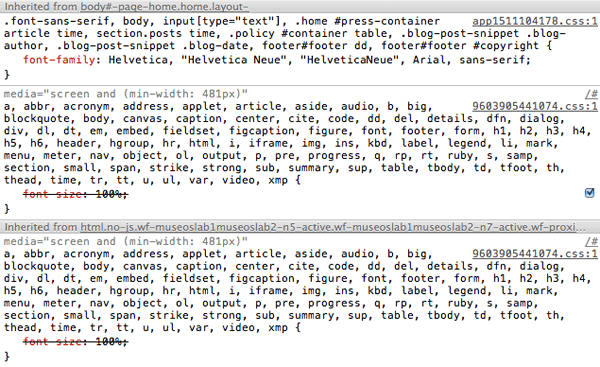
„Normalize.css doesn't „clutter up“ the debug tools.”
If a normalize.css stylesheet is used, this phenomenon does not occur to such an extent because specific styles are addressed and multiple selectors are only used very sparingly in the rule sets.
"Normalize.css is modularly usable."
The project was broken down into relatively independent sections. This makes it easy to recognize which elements require specific styles. It also allows you to remove a section (e.g. the normalization of forms) if it is known that your own website will never need the defined rules.
"Normalize.css has extensive documentation."
The normalize.css code is based on methodical testing and thorough cross-browser analysis. The code is extensively documented within the file and described in even greater detail in the GitHub Wiki. This allows you to thoroughly investigate exactly what each line of code „does,“ why it was included, and what differences exist from browser to browser, thereby making it much easier to conduct your own tests.
The project aims to help clarify how browsers display elements by default and make it easier to contribute improvements.
Best practices for the integration of Normalize.css
First install or download the normalize.css stylesheet from GitHub. There are various ways to use Normalize.css effectively. You should observe the following procedures:
- Adaptation to project requirements: Use Normalize.css as a basis and adapt it to your specific project requirements. This means that you use the file as a starting point for your own basic CSS and overwrite it if necessary.
- Unchanged integration: Alternatively, you can include Normalize.css unchanged in your project and then adjust specific styles in a separate CSS file. It is important that your own stylesheet is loaded after the integration of Normalize.css so that your changes can overwrite the normalization.
- Optimized loading times: Make sure you only use the parts of Normalize.css that you really need. The modular structure makes it easier to remove unnecessary parts and thus optimize the loading time of your website.
Supported browsers
- Google Chrome (current)
- Mozilla Firefox (current)
- Mozilla Firefox ESR
- Opera (current)
- Apple Safari 6+
- Internet Explorer 8+
Final notes
The normalize.css stylesheet differs from the CSS reset in terms of scope and execution. It is worth trying out whether it suits your project development and your preferences.
The project is being developed publicly on GitHub. Anyone can report issues and contribute corrections and additions. The complete project history is publicly available, and the context and reasons for any code changes can be found in the „commit“ messages and „issue“ posts.
Further reading material
To deepen your knowledge and work directly with Normalize.css, you can find a list of useful resources here:
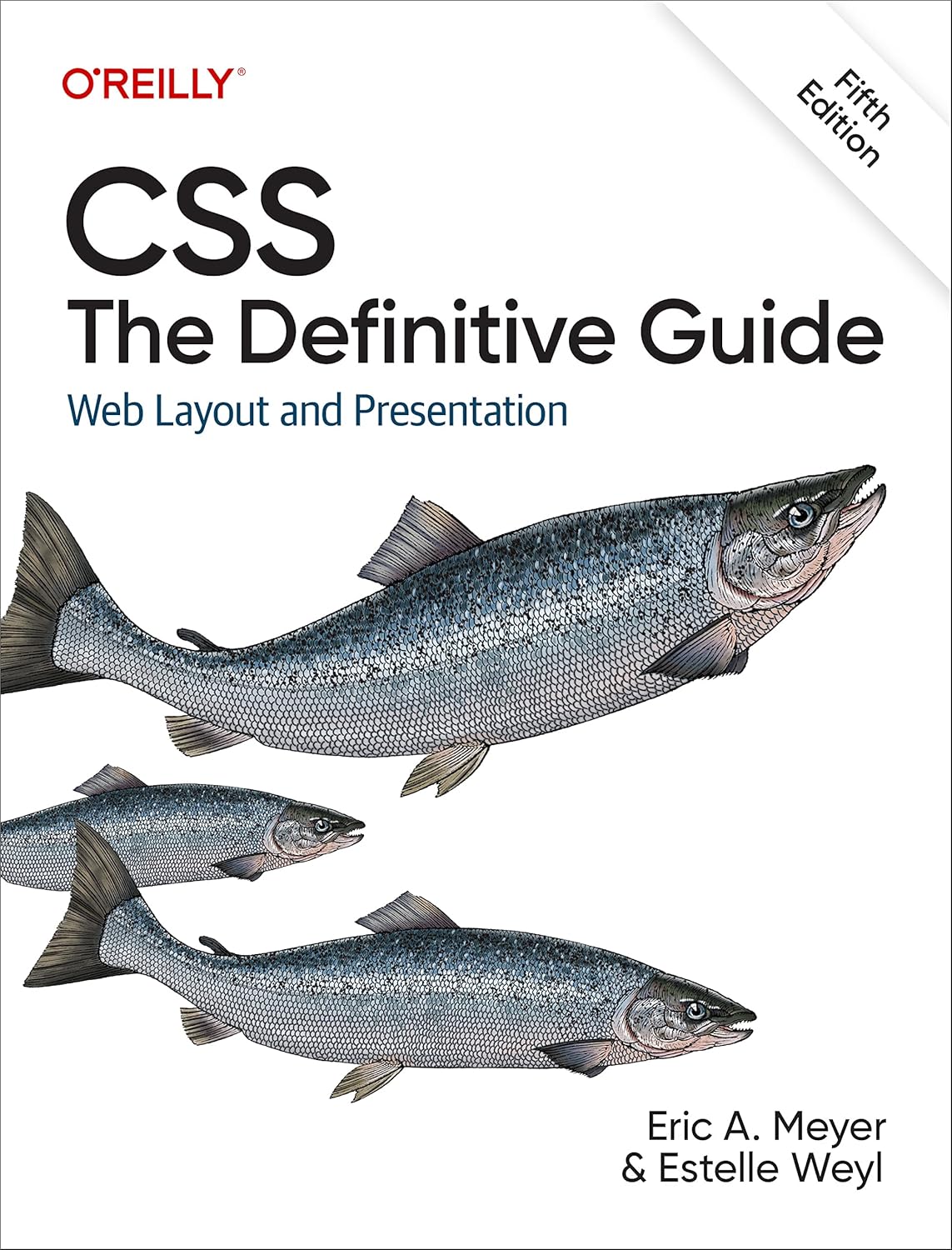
- "CSS: The Definitive Guide" by Eric Meyer - An in-depth book that describes the intricacies of CSS and provides useful techniques for handling cross-browser incompatibilities.
- MDN Web Docs: "CSS Cross-Browser Development" - An excellent source of up-to-date information on cross-platform CSS development.
- "HTML5 and CSS3 All-in-One For Dummies" by Andy Harris - Provides an easy-to-understand introduction to HTML5 and CSS3 development and shows how Normalize.css can be integrated into modern projects.
- Normalize.css on GitHub - Official GitHub page of the project with the source code and documentation.
- MDN Web Docs: "CSS User Agent Style Sheets" - Detailed information on the standard user agent styles in various browsers.
- Detailed information on the standard UserAgent styles: WHATWG suggestions for rendering HTML documents, Internet Explorer User Agent Style Sheetsand CSS2.1 User Agent Style Sheet Defaults.
- HTML5 Boilerplate - A comprehensive frontend template that integrates Normalize.css to provide a solid foundation for any web project.
- Web.dev: "Designing for Browser Diversity" - Google's guide to designing websites for a wide range of browsers and devices.
With these resources, you are well equipped to integrate Normalize.css into your projects and overcome the challenges of cross-browser compatibility with ease. Good luck with your development!






Thanks for the detailed explanation of Normalize.css! I knew there was a difference to classic CSS resets, but I didn't realize how many bugs it actually fixes in different browsers. I found the point about modular use particularly exciting - it makes it much more flexible than a complete reset. I will definitely incorporate it into my next project. Lg Ella
Explained very clearly and comprehensibly! The article gets to the heart of the function and benefits of normalize.css and shows why consistent rendering across different browsers is so important. A helpful introduction - both for beginners and as a quick refresher for developers.